
Everything Ember does
Capture it. Understand it. Keep it useful. Everything lands in one place: the workbench. It's what ties the color picker and your clipboard together — and it's how you reach your palettes and projects too, without opening the full app.
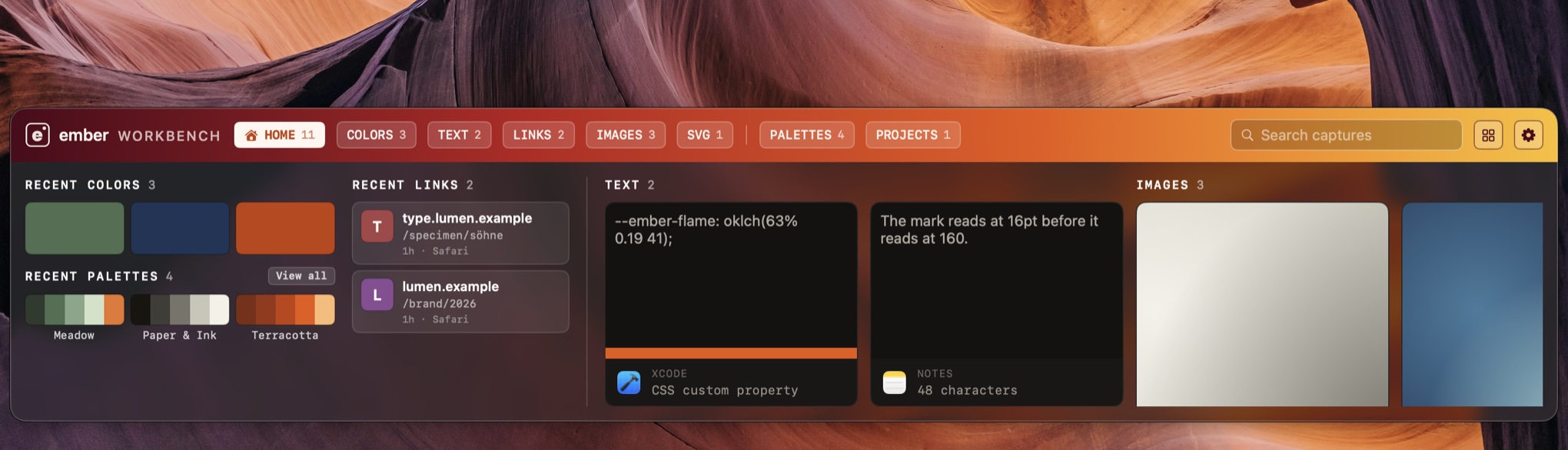
Where you actually use everything Ember does
This is where the color picker and the clipboard actually become useful — not two separate tools, but two ways of filling the same place. Press ⇧⌘V anywhere and it appears over whatever you're working in. Take what you need from it and get back to work.
- Your palettes and full projects live here too. Browse and use them without opening the main app — no window to load, nothing to bring to the front.
- Stay where you are. Press escape and you're exactly where you were.
- Sorted for you. Colors, links, images, files, SVG, rich text, plain text — recognized and filed automatically, including colors found inside a copied stylesheet.
- Nothing gets lost. Pin what matters and it's never dropped. Every item carries the icon of the app it came from, which is usually how you find it again.
- Drag it out, or paste it straight back. Into Figma, Keynote, Mail — it arrives as the right kind of thing, or goes right back into the app you copied it from.
Your clipboard, understood
Ember remembers what you've copied — up to 200 things — and recognizes what each one is: a color, an image, a link, a file, rich text, or something with colors inside it. Copy a stylesheet and Ember shows you the colors in it as a strip along the card.
Your clipboard history is never synced or shared. Content a password manager marks as concealed is not read, period.
You reach it the same way as everything else — the workbench, one shortcut, right alongside your colors and palettes. It isn't a separate app, and there's nothing extra to remember.
How security works →Any pixel on screen, in the notation you actually use
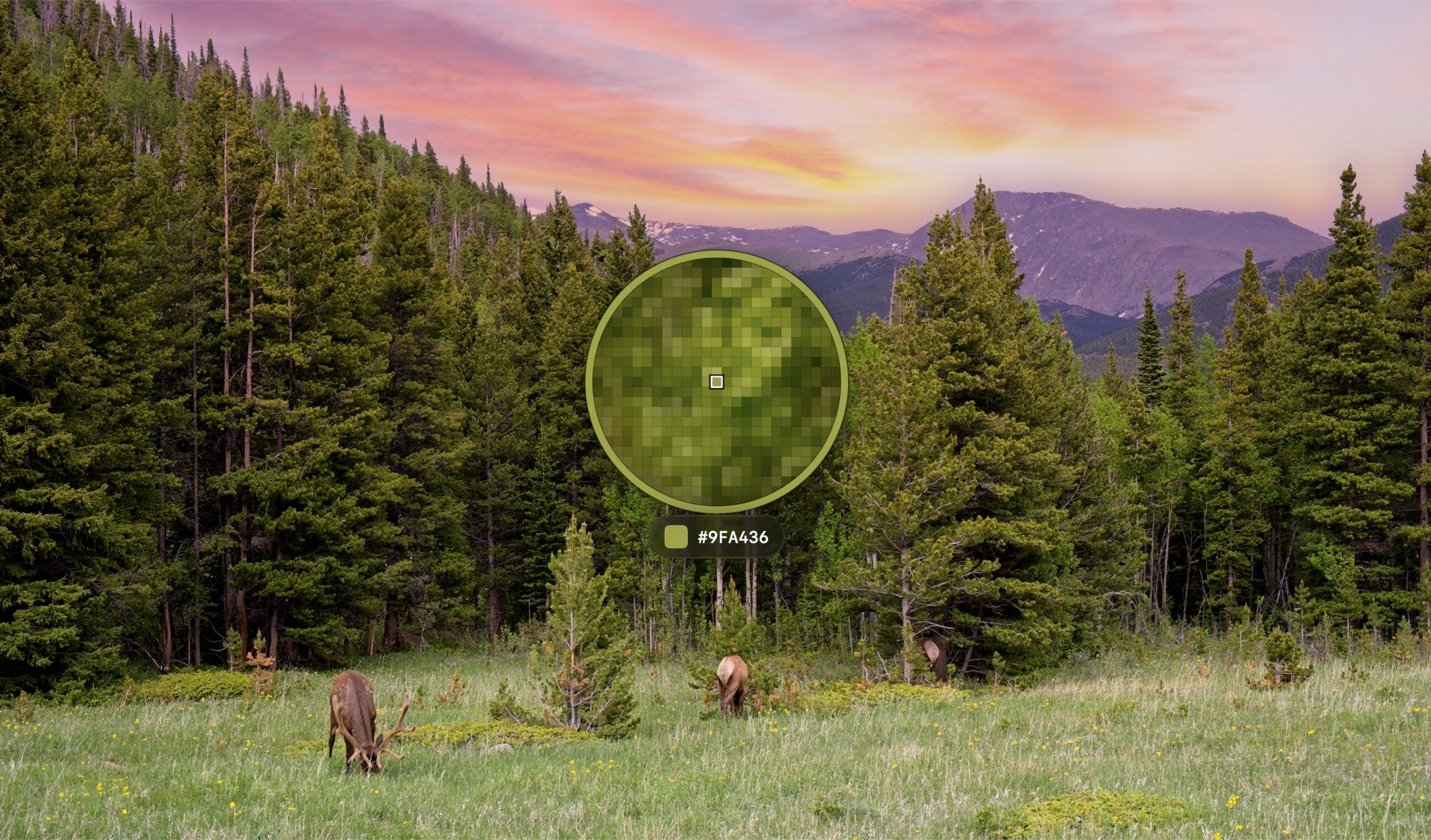
Press ⇧⌘M anywhere — over a browser, a video, another app in full screen. The loupe magnifies what is under the cursor so you land on the pixel you meant, not the one next to it. Click, and it's on your clipboard in whatever format you work in — and waiting for you in the workbench, so a pick is never a one-off.
- Ten notations. HEX, RGB, HSL, HSB, OKLCH, OKLAB, LAB, LCH, CMYK and Display P3 — or write your own template.
- Average an area, not a pixel. Sample 1px, 3×3, 5×5 or 9×9.
- As authored, or as displayed. The sRGB value the designer typed, or the Display P3 value your panel shows.
- No Accessibility permission required for picking. The shortcut registers with the system directly.
The one code your phone can't scan is the one on your screen
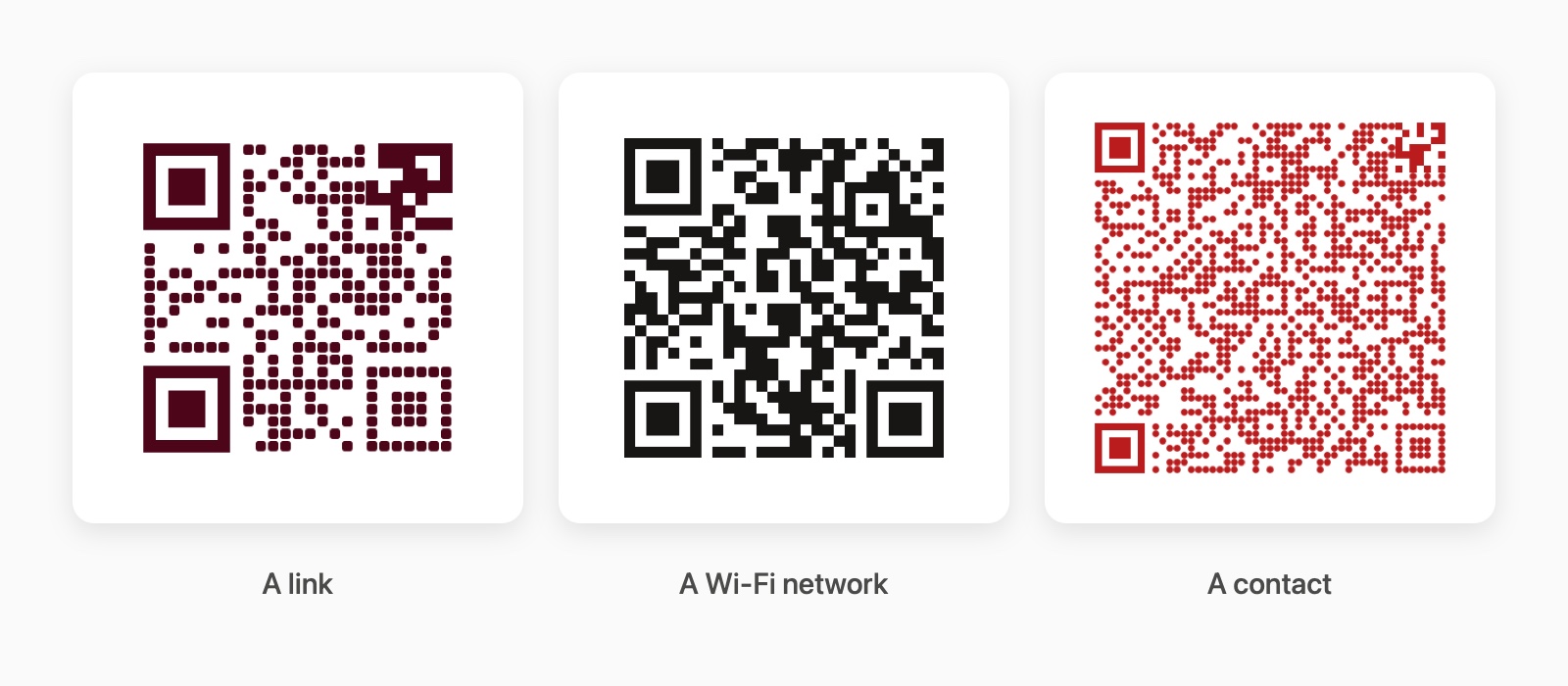
A QR on a booking confirmation, a Wi‑Fi square on a printout somebody photographed, a link on a slide in a call. Press ⇧⌘B and Ember reads every code on the display at once, using the screen permission the picker already asked for.
- Kept, not glimpsed. Your camera scans a code and forgets it. Ember keeps every scan, searchable beside your clips and colours.
- Make them too. Links, Wi‑Fi, contact cards, email, phone, places — in your palette's colours, and out as SVG for print.
- It won't let you print one that can't be read. Ember judges your two colours the way a camera will: under 3:1 won't scan, under 7:1 fails across a room, and light-on-dark is refused whatever the contrast.
- A Wi‑Fi code is a password. Scanned ones keep the network name and lose the password, the same rule the clipboard follows for anything concealed.
Give it a website. Get the brand.
Paste a URL and Ember reads the site the way you would if you had the patience: follows the linked stylesheets, counts every color in them, and works out which handful are actually the brand. It brings back the logo too. Drop in a photograph, a stylesheet, a token file or an SVG and Ember pulls every color it can find — you choose which ones get saved.
A site that builds its styles in JavaScript returns nothing — Ember says so, rather than guessing.
Where the work piles up
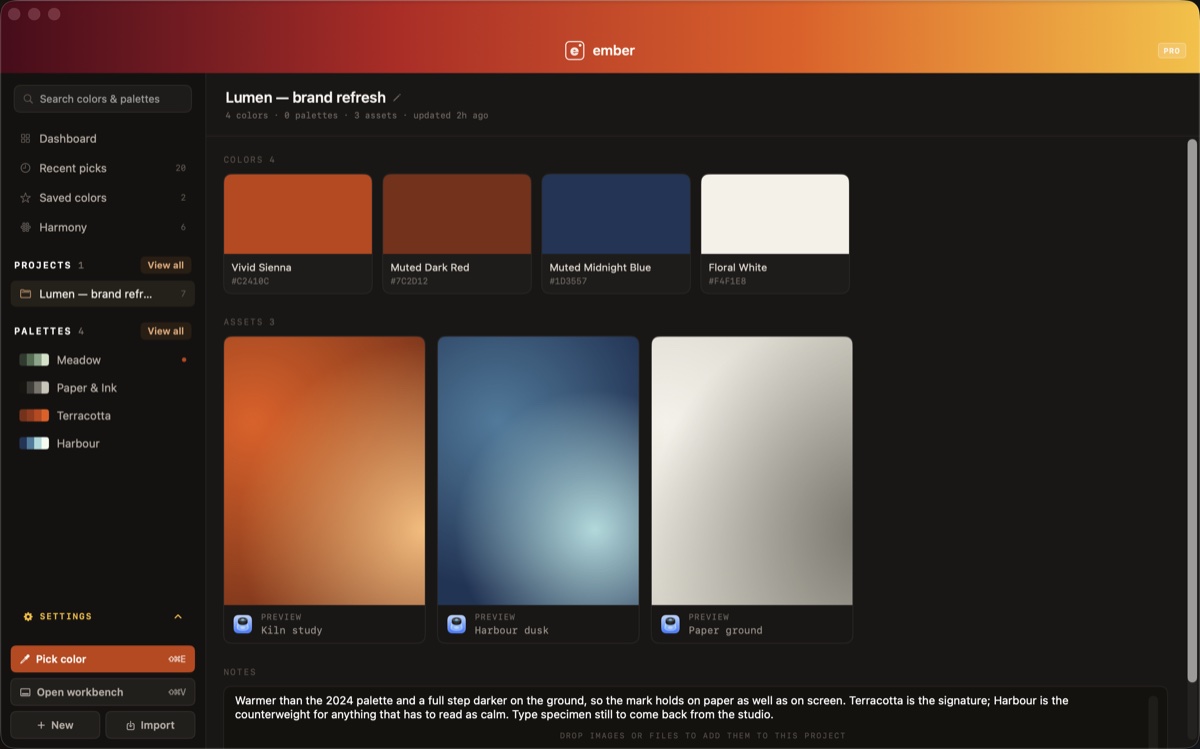
A palette is a decision. A project is the context around it — the colors, the palettes, the images and files that led there, and your notes.
- Files stay as you gave them. A photograph is kept exactly as it arrived rather than re-encoded, so it takes the space the original took and looks the way the original looked.
- Your projects, on every Mac you sign in on. Colors, palettes, images and files inside a project sync automatically once you are signed in — no separate step. Recents and unshared palettes stay on the Mac that made them.
- Share a palette by link, on purpose. Nothing syncs to anyone else until you choose to share it. When two people edit the same color, Ember tells you rather than picking a winner.
Three palettes and one project free. Unlimited on Pro.
One color in, a working set out
Give Ember a color and it generates the five roles an interface actually needs. Not a wheel of tints — a set you could build a screen from. Lock the one you like and generate around it. Pro.
Both contrast numbers, because they disagree
Ember reports WCAG 2.2 and APCA at the same time. The first is the ratio most accessibility requirements still reference; the second is designed to better model how readable text actually appears. A tool that shows you only one is deciding something on your behalf.
Never behind the paywall — free, permanently.
It leaves in whatever shape you need
CSS custom properties, SCSS, JSON, a Tailwind config, an SVG swatch sheet, or an Adobe ASE file. CSS and JSON are free forever — a tool you can't get your work out of is a tool worth distrusting.
--ember: #F0862E;
--deep: #7C2208;
ember: '#F0862E',
deep: '#7C2208',
"ember": "#F0862E",
"deep": "#7C2208",
What leaves your Mac, and what doesn't
No analytics, no telemetry, no crash reporter — there is nothing to opt out of because nothing is gathered. Your clipboard history never syncs, to us or between your own Macs. Palettes and projects sync only when you sign in and ask them to.
If your password manager marks something as concealed, Ember does not read it. Not reads it and hides it — does not read it.
How the rest of it works →